INSTA360 APP EXPORTS · MODEL NAME AND TIME STAMP · 16:9 AND 9:16
Insta360 watermark remover for clips you already exported
Upload the Insta360 app export and its Insta360 watermark, model name and time stamp, is cleared frame by frame, even with the original gone.
Files auto-delete after processing · Credits refunded if a job fails
Insta360 watermark removed from two action clips
Crops from two 5-second clips, 16:9 and 9:16, November 22, 2026. Left: upload. Right: result. Both carry our own recreated Insta360 watermark on public-domain action-camera footage.
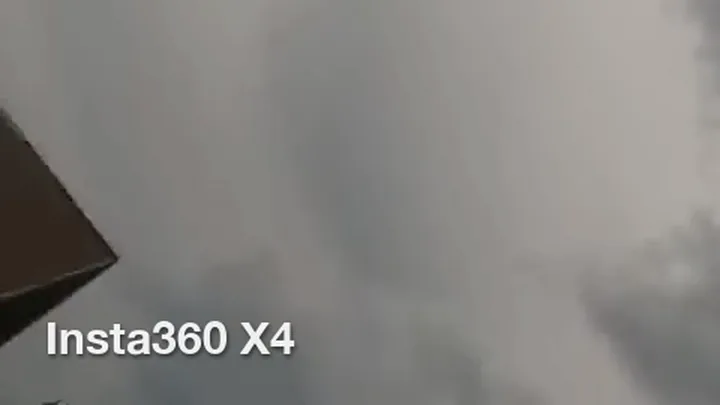 before
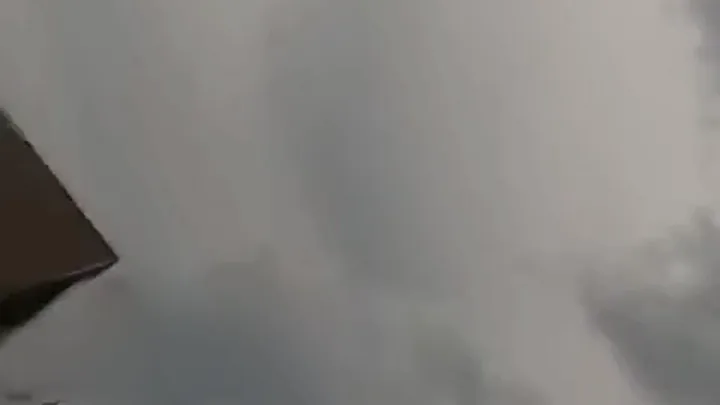 after
16:9, model name over grey sky
A bear carried this camera, so the shot swings from claw to cloud. The Insta360 watermark sat in the bottom left over grey sky and a claw tip. Both came back clean, the dark claw edge intact.
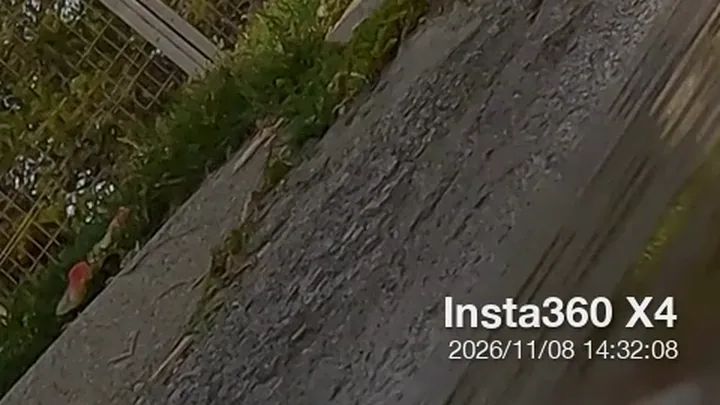 before
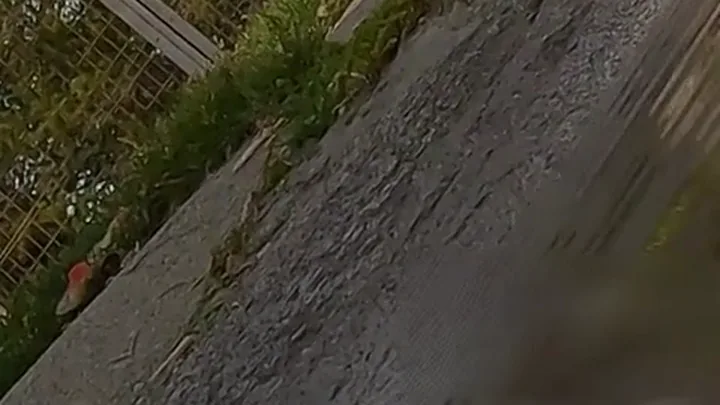 after
9:16, model name and ticking time stamp
Here the Insta360 watermark has two lines: the model name and a shooting time that changes every second. Both were cleared on every frame we sampled, and the gravel kept its grain.
Where the Insta360 watermark comes from
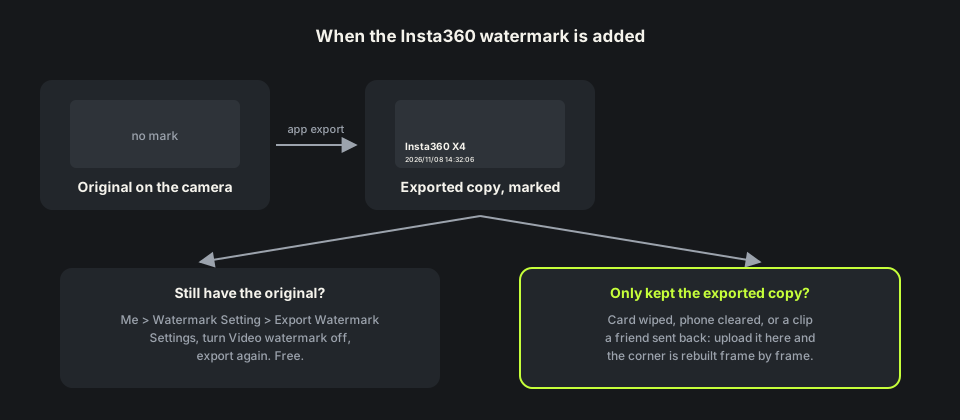
The camera never writes a mark into the original file. Insta360’s manual says the watermark only appears after you export in the app. There are three kinds: a brand watermark with the camera model, a time watermark with the shooting time, and a nadir logo on 360 media.
A flat video export from the app can carry the model name, the time stamp or both, in a corner you pick. Once exported, that Insta360 watermark is part of every frame. Our remove watermark from video tool rebuilds the corner instead of cropping it.
How to remove Insta360 watermark in the app
In the current Insta360 app: tap Me, then Watermark Setting, then Export Watermark Settings, and turn Video watermark off. You can also switch it off for one clip in the export panel under Watermark settings. It is free on every camera.
The switch only changes the next export. Users in Insta360 groups report that clips already saved keep the Insta360 watermark, so you export again from the original. That works while the original is still on your card or phone. If you wiped the card or only kept the shared copy, remove the Insta360 watermark from the file itself.
How we tested the Insta360 watermark remover
We took two public-domain clips from a GoPro a bear picked up and drew an Insta360 watermark on them the way the app does: white “Insta360 X4” text with a soft shadow, about 170 pixels wide on 1280×720. The 9:16 copy, 720×1280, also got a time stamp that ticks every second.
Each clip is about 5 seconds, so 5 credits. The Insta360 watermark was found on every sampled frame, and both came back at the same size, length and 29.97 fps, with audio kept.
Where the Insta360 watermark remover can slip
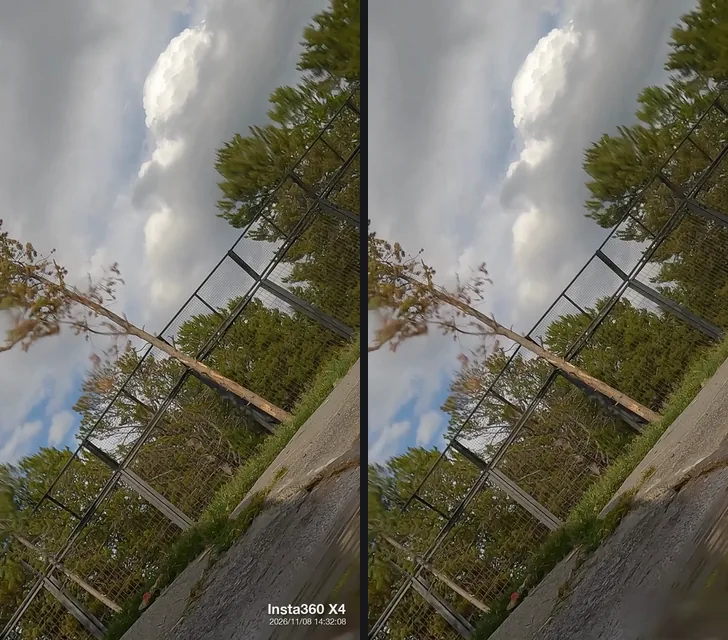
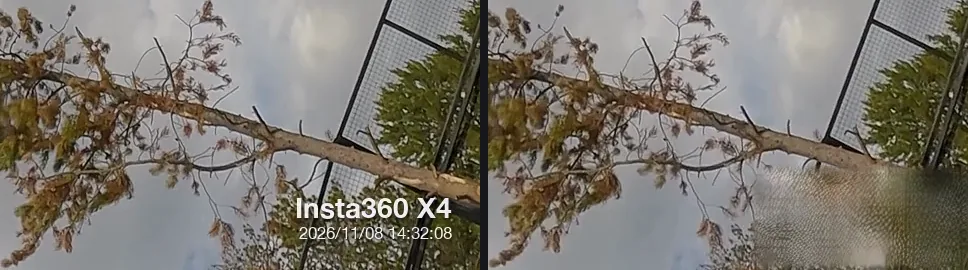
Fast swings are the weak spot. At 2.7 seconds the camera whips from a pine trunk to open sky, and the corner under the Insta360 watermark was filled with a pale patch copying the wire fence from elsewhere in the frame. At 2.5 seconds there is a small smudge; the frames around them were clean.
On a bumpy ride, check the free preview around sudden pans first. Steadier shots, like a gimbal walk, gave the cleanest result.
Remove Insta360 watermark free: credits and file limits
Anyone can watch a free 480p preview of the first 10 seconds without signing up. New accounts get 10 free credits; one credit covers one second, five minimum. Failed jobs are refunded. Packs are on the pricing page.
Files can be MP4, MOV or WebM up to 100MB and 10 minutes. A 4K or 5.7K export of a long ride will be bigger, so trim it or export at 1080p first. The MP4 watermark remover page shows how far 100MB goes.
Before you upload an Insta360 export
Upload the flat video the app or Insta360 Studio exported, not a copy saved back from Instagram; each recompression loses detail. If the Insta360 watermark sits over sky you can lose, a crop is a fair free fix.
Use this only on footage you shot or have the rights to edit. For other marks, remove logo from video covers brand logos and the DaVinci Resolve watermark remover covers a trial grade. Page updated November 22, 2026.
Export again vs remove the Insta360 watermark
Three ways to get a clip without the model name.
| Turn it off, export again | Crop the corner | Insta360 watermark remover | |
|---|---|---|---|
| What you need | The original file from the camera | Any editor | Only the exported MP4 |
| Original deleted | Not possible | Works | Works, upload the export |
| Frame | Unchanged | Smaller or reframed | Unchanged |
| Cost | Free | Free | 1 credit per second; 10 free on sign-up |
| Weak spot | Re-rendering long rides takes time | Cuts the edge of a wide shot | Detail that moves fast under the mark |
HOW IT WORKS
Three steps. Under a minute.
Remove watermark from video in three moves — upload, let it auto-remove, then download the clean result.
- 01
Upload your clip
Drag in the video you own. MP4 or MOV.
- 02
Auto-detect & remove
The AI finds the mark and rebuilds the background — no manual masking.
- 03
Preview & download
Compare before/after, then export the clean version.
FAQ
Insta360 watermark — FAQ
How do I remove the Insta360 watermark for free?
If you still have the original, turn off Video watermark in the app and export again. If not, new accounts here get 10 free credits, enough for a 10-second clip.
Does turning off the Insta360 watermark fix videos I already exported?
No. The setting only applies to new exports. Export again from the original, or upload the exported copy here.
Can it remove the Insta360 time stamp too?
Yes. In our vertical test the model name and the ticking time stamp were both cleared.
Can I upload the 360 .insv file?
No. Export a flat MP4 from the app or Insta360 Studio first. The 360 nadir logo is a different mark that sits at the bottom of the sphere.
Related tools
- Remove watermark from video
- Remove logo from video
- MP4 watermark remover
- DaVinci Resolve watermark remover
- Pricing
Remove Watermark from Video is not affiliated with, endorsed by, or sponsored by Insta360 (Arashi Vision). Insta360 is a trademark of its owner. Our test clips are public-domain GoPro footage with a recreated Insta360-style watermark.