KAPWING EXPORTS · CORNER MARK · 9:16 AND 1:1
Kapwing watermark remover for videos you already downloaded
Upload the MP4 you exported from Kapwing and this Kapwing watermark remover rebuilds the bottom-right corner, no project or Pro plan needed.
Files auto-delete after processing · Credits refunded if a job fails
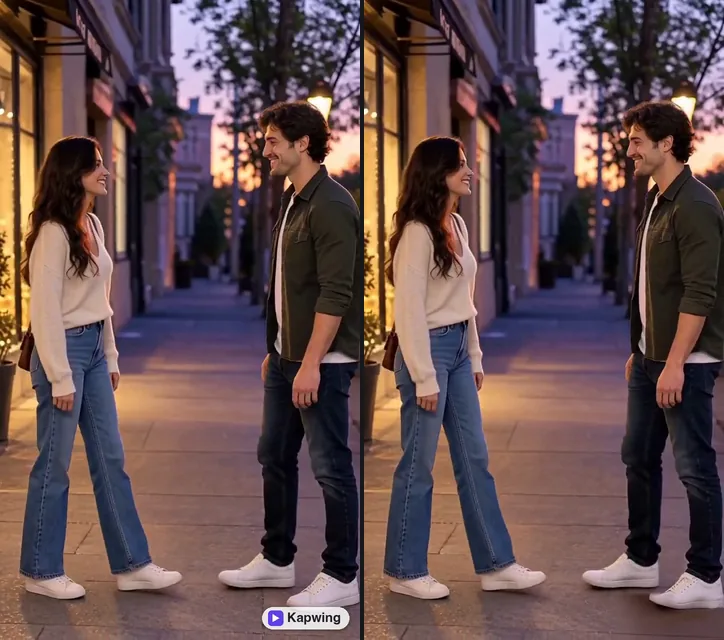
Kapwing watermark remover results on two exports
Crops from an 8-second 9:16 clip and a 5-second 1:1 clip, November 20, 2026. Left: upload. Right: what the Kapwing watermark remover returned. Both marks are our own recreation.
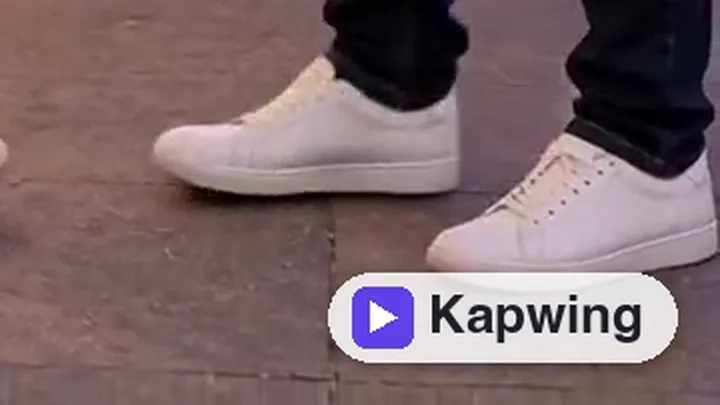 before
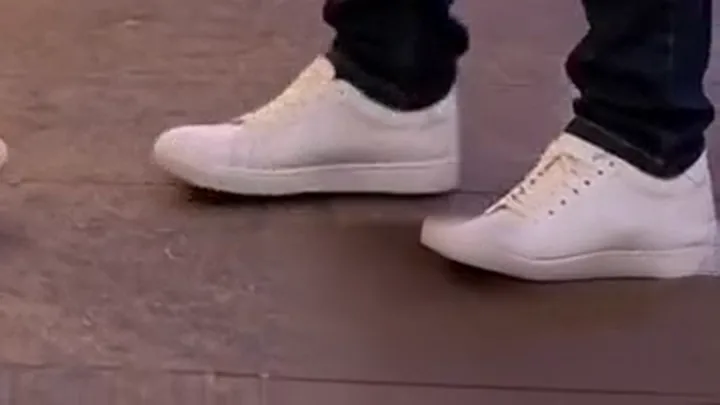 after
Vertical 9:16 clip, mark on the sidewalk
At 1.5 seconds the badge sat on the sidewalk next to a white sneaker. The Kapwing watermark remover cleared it and the paving runs straight through. Later frames went worse; see below.
 before
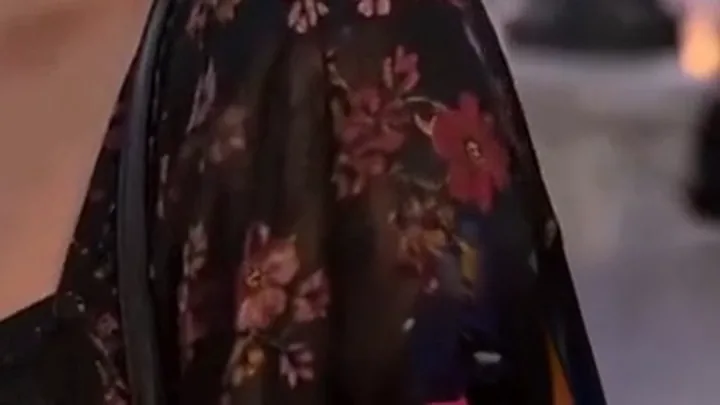 after
Square 1:1 clip, mark on a patterned dress
The Kapwing text is gone, but for the first two seconds the purple icon left a navy smudge and a pink blot on the busy print. From 2.5 seconds, once she turns, the corner is clean.
Why the Kapwing watermark is still on your video
Kapwing puts its watermark on every export from a free workspace, in the bottom right corner. Free exports are also capped at 720p and four minutes, and Kapwing says free projects can be deleted after three days.
So the Kapwing watermark is no longer a setting; it is part of every frame of the MP4. A Kapwing watermark remover rebuilds those corner pixels from the frames around them, the same way our remove watermark from video tool handles any overlay.
How to remove Kapwing watermark inside Kapwing
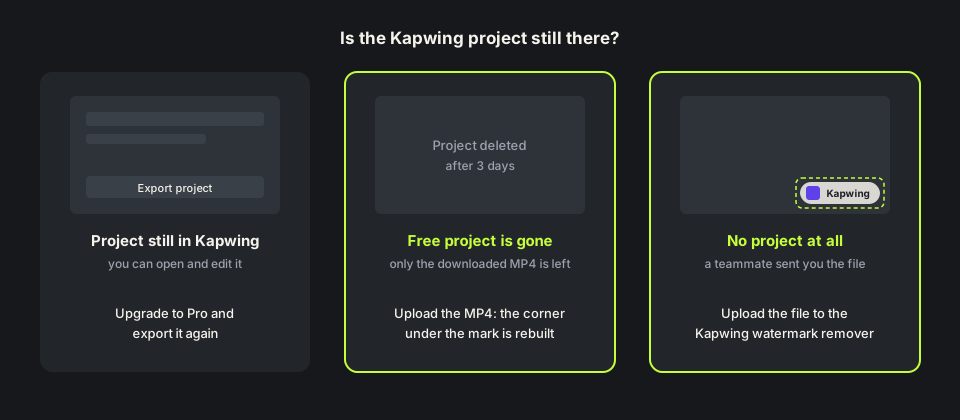
The official route is to upgrade the workspace to Pro and export again. Kapwing says Pro users can remove the watermark from projects they made before upgrading by exporting them a second time.
That only works while the project still exists. If the free project was cleared after three days, or a teammate sent you the finished file, there is nothing to export again. That is when people look for how to remove Kapwing watermark from the video itself.
How we tested this Kapwing watermark remover
We used two clips we own: an 8-second 720×1280 street scene and a 5-second portrait cropped to 720×720, the square size many Kapwing posts use. On both we drew a Kapwing-style badge in the bottom right corner: a white pill with a purple play icon and the word Kapwing, about 175 pixels wide.
At one credit a second they come to 8 and 6 credits. The Kapwing watermark remover found the badge on every sampled frame of both clips and returned MP4s of the same size and length, with the audio track kept.
Where the Kapwing watermark remover went wrong
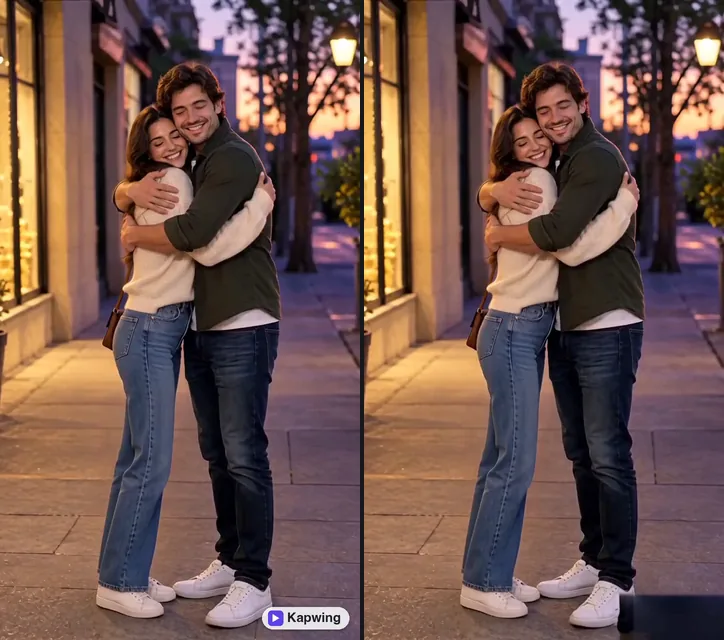
The street clip pans down from the couple to their shoes. From about 4 seconds the corner came back filled with the dark blue of the jeans the camera had just passed, and that block stayed over the pink wall and the paving to the end. When the picture under a Kapwing watermark changes fast, the fill can lag behind.
Busy patterns are the other weak spot, as the floral dress above shows. If your Kapwing export has a big camera move or a cut, trimming it and running each shot on its own can help. Watch the free preview before you spend credits.
Remove Kapwing watermark free: credits and file limits
Anyone can watch a free 480p preview of the first 10 seconds without signing up. New accounts get 10 free credits and one credit covers one second, five minimum, so you can remove Kapwing watermark free from a clip up to 10 seconds long. Longer clips use one credit per second, and failed jobs are refunded. Packs are on the pricing page.
The Kapwing watermark remover takes MP4, MOV or WebM up to 100MB and 10 minutes, so a free 720p export of a minute or two fits easily. The remove watermark from video online free page compares the free preview with the full result.
Before you upload a Kapwing export
Upload the file Kapwing gave you, not a copy saved back from TikTok or Instagram. Every recompression throws away detail. If the badge sits on background you do not need, a crop is a fair free fix.
Use the Kapwing watermark remover only on videos you made or have the rights to edit. Made the same edit in VEED? The VEED watermark remover covers its Made with VEED badge. Page updated November 20, 2026.
Kapwing Pro vs a Kapwing watermark remover
Three ways to handle the corner badge.
| Upgrade and export again | Crop the corner | This Kapwing watermark remover | |
|---|---|---|---|
| What you need | A Pro workspace and the project | Any editor | Only the downloaded video |
| Project deleted | Not possible | Works | Works, upload the file |
| Frame size | Unchanged | Smaller or reframed | Unchanged |
| Cost | A Kapwing subscription | Free | 1 credit per second; 10 free on sign-up |
| Weak spot | Needs the project | Cuts the picture | Fine detail right under the badge |
HOW IT WORKS
Three steps. Under a minute.
Remove watermark from video in three moves — upload, let it auto-remove, then download the clean result.
- 01
Upload your clip
Drag in the video you own. MP4 or MOV.
- 02
Auto-detect & remove
The AI finds the mark and rebuilds the background — no manual masking.
- 03
Preview & download
Compare before/after, then export the clean version.
FAQ
Kapwing watermark remover — FAQ
Is this Kapwing watermark remover free?
New accounts get 10 free credits, enough for a 10-second clip, and anyone can preview the first 10 seconds. After that it is one credit per second.
Does upgrading Kapwing remove the watermark from old videos?
Only if you export the project again. A file you already downloaded keeps the Kapwing watermark, and deleted free projects cannot be exported again.
Where is the Kapwing watermark?
In the bottom right corner of exports from a free workspace. The Kapwing watermark remover finds it there on 9:16, 1:1 and 16:9 videos.
Will the Kapwing watermark remover change my video size?
No. In our tests 720×1280 and 720×720 came back at the same size and length, with the audio track.
Do I need a Kapwing account?
No. You upload the file here; your Kapwing workspace is never touched.
Related tools
Remove Watermark from Video is not affiliated with, endorsed by, or sponsored by Kapwing. Kapwing is a trademark of its owner. Our test clips used a recreated Kapwing corner badge on footage we own.