DJI MIMO EXPORTS · OSMO POCKET 3, ACTION, 360 · 16:9 AND 9:16
DJI watermark remover for Mimo exports you already saved
Upload a DJI Mimo export and its DJI watermark, the dji logo and model, is rebuilt frame by frame with no crop or blur.
Files auto-delete after processing · Credits refunded if a job fails
DJI watermark removed from two Osmo-style clips
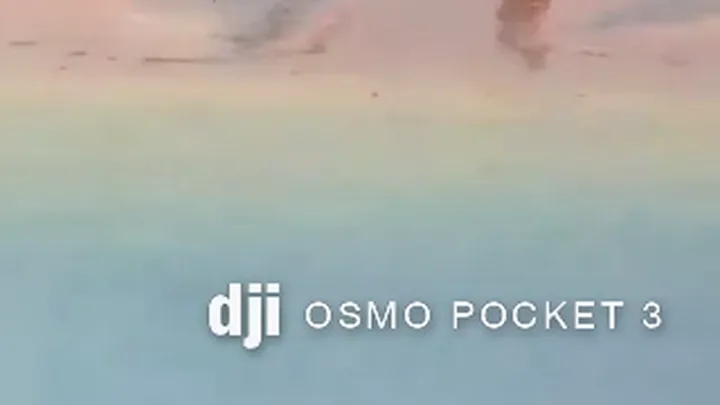
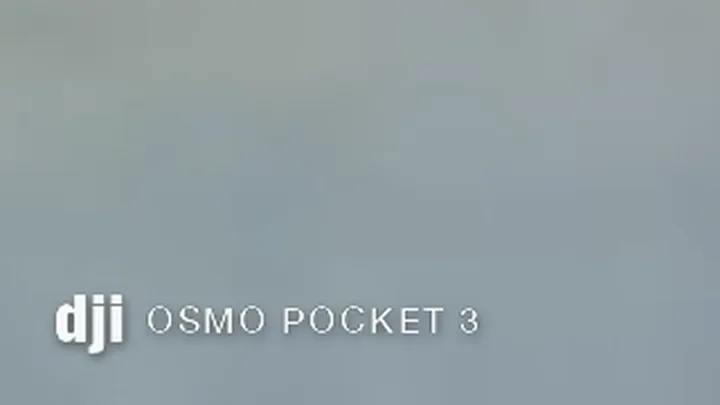
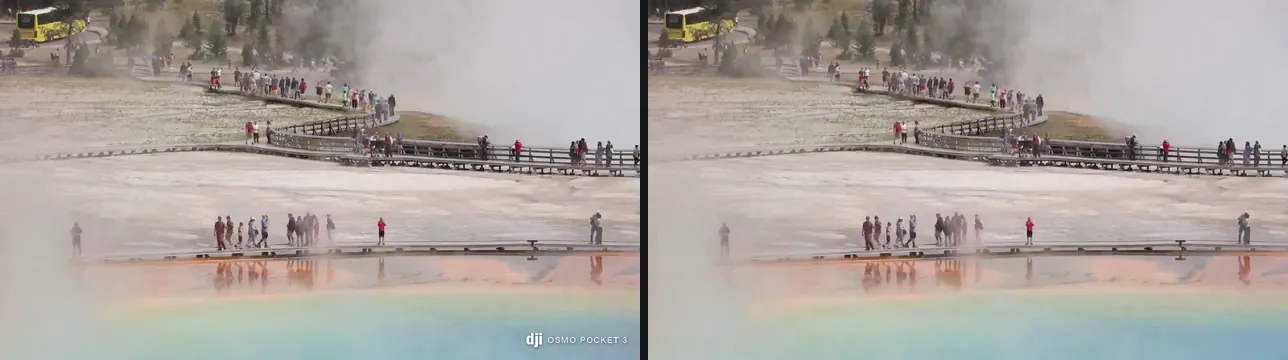
Crops from two 5-second clips, November 25, 2026. Left: upload. Right: result. Both carry our own recreated DJI watermark.
 before
 after
16:9 time-lapse, mark over blue spring water
Steam drifts through this corner. The DJI watermark sat on pale blue water under the orange band, and every frame we sampled came back clean.
 before
 after
9:16 time-lapse, mark over milky spring water
Visitors jump between frames in this time-lapse. The DJI watermark sat over milky spring water and was gone on every frame we sampled, with no letter outline even at high contrast.
Where the DJI watermark comes from
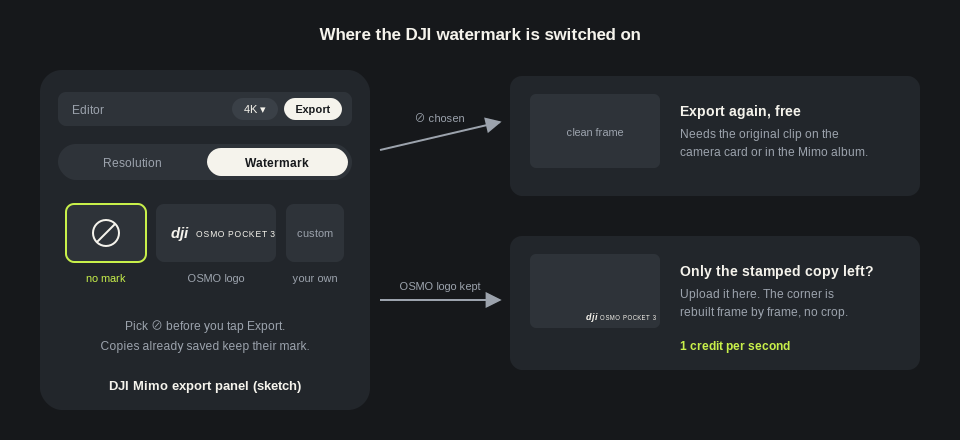
Your Osmo camera does not stamp the file on the card. The DJI watermark is added by the DJI Mimo app when you edit and export a clip. Mimo calls it OSMO LOGO: the dji logo and camera model in white, in a bottom corner.
Reddit users first spotted it after a Mimo update. Once exported, the DJI watermark is part of every frame; our remove watermark from video tool rebuilds that corner instead of cropping it.
How to remove DJI watermark in DJI Mimo
Open the clip in the Mimo editor. Next to the Export button, top right, is a menu with Resolution and Watermark tabs. On Watermark, choose the crossed circle, then export. DJI support gave a Reddit user the same free steps.
Some users also point to a Watermark Settings switch under Privacy in settings, and newer versions let you design a custom mark. Either way, only new exports change; a file you already shared keeps its DJI watermark.
How to remove DJI Osmo Pocket 3 watermark from a saved video
If the original is still on the card or in the Mimo album, export it again with no mark. If you deleted it, or a friend sent you the only copy, you have just the stamped export.
That is where a DJI watermark remover helps: upload the export, watch the free preview, and download it at its own size and frame rate. Osmo Action, Osmo 360 and Osmo Nano owners asking how to remove DJI watermark from Mimo clips can do the same.
How we tested the DJI watermark remover
We took public-domain Yellowstone National Park footage and drew a DJI watermark on it the way Mimo does: a bold dji logo and “OSMO POCKET 3” in spaced white letters with a soft shadow, about 210 pixels wide on 1280×720.
We ran three 5-second clips, 5 credits each: a hot spring time-lapse in 16:9 and 9:16, and a handheld boardwalk walk with sound. On both time-lapses the DJI watermark was found on every sampled frame and removed. All three kept their size, length, 29.97 fps and audio. The boardwalk clip is where things went wrong.
Where the DJI watermark remover can slip
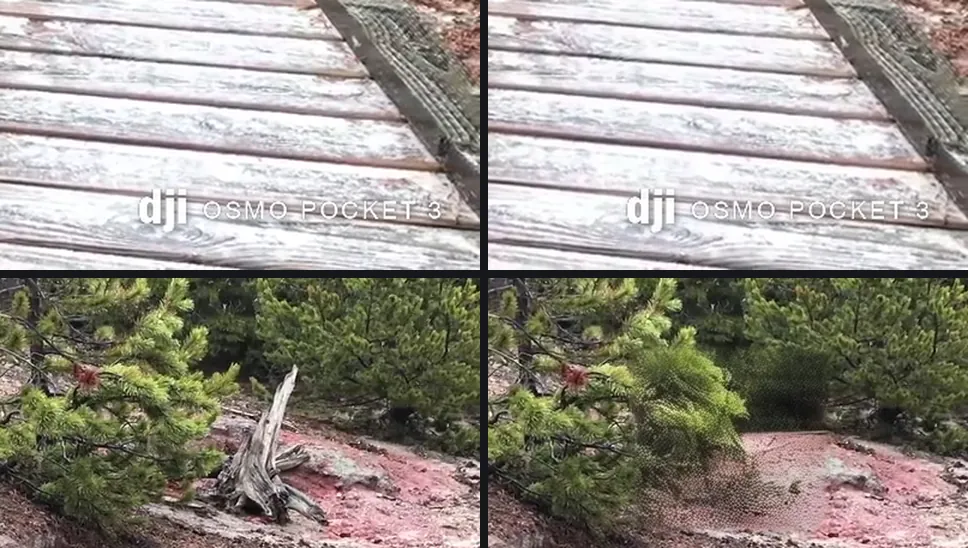
A white mark over pale, busy ground is the weak spot. On the boardwalk clip the camera walks over sun-bleached planks whose grain changes every frame, and the DJI watermark was not picked out: it stayed on all 5 seconds.
The same clip had a second fault: a pale dead stump was taken for a moving mark and smeared for about a second, twice. That is what the free preview is for. If the DJI watermark is still there or something real went soft, stop before you pay.
Remove DJI watermark free: credits and file limits
Anyone can watch a free 480p preview of the first 10 seconds without signing up. New accounts get 10 free credits; one credit covers one second, five minimum. Failed jobs are refunded. Packs are on the pricing page.
Files can be MP4, MOV or WebM up to 100MB and 10 minutes. A minute of 4K off an Osmo card is far past that, so upload the 1080p Mimo export or trim first; the MP4 watermark remover page shows how far 100MB goes.
Before you upload a DJI Mimo export
Upload the file Mimo saved, not a copy downloaded back from Instagram or TikTok; each pass loses detail.
Use this only on footage you shot or have the rights to edit. For an Insta360 app export, use the Insta360 watermark remover; for brand logos, see remove logo from video. Page updated November 25, 2026.
Export again vs a DJI watermark remover
Three routes to a clip without the dji logo.
| Export again with no mark | Crop the corner | DJI watermark remover | |
|---|---|---|---|
| What you need | The original clip on the card or in Mimo | Any editor | Only the exported MP4 |
| Original deleted | Not possible | Works | Works, upload the export |
| Frame | Unchanged | Smaller or reframed | Unchanged |
| Cost | Free | Free | 1 credit per second; 10 free on sign-up |
| Weak spot | Easy to miss the Watermark tab | Loses the edge of a wide shot | A white mark over pale, busy ground |
HOW IT WORKS
Three steps. Under a minute.
Remove watermark from video in three moves — upload, let it auto-remove, then download the clean result.
- 01
Upload your clip
Drag in the video you own. MP4 or MOV.
- 02
Auto-detect & remove
The AI finds the mark and rebuilds the background — no manual masking.
- 03
Preview & download
Compare before/after, then export the clean version.
FAQ
DJI watermark — FAQ
How do I remove the DJI watermark for free?
In DJI Mimo, open the Watermark tab next to Export, pick the crossed circle and export again. Without the original, new accounts here get 10 free credits.
Is the DJI watermark on the original file?
No. Users found the DJI Mimo watermark appears only after exporting from Mimo; the file on the card is clean.
Does turning it off fix videos I already exported?
No. The DJI watermark is burned into those frames. Export again from the original, or upload the stamped copy here.
Does it work for Osmo Action, Osmo 360 and Osmo Nano clips?
Yes, whatever model name the mark shows. Export 360 footage as a flat video first.
Related tools
- Remove watermark from video
- Insta360 watermark remover
- Remove logo from video
- MP4 watermark remover
- Pricing
Remove Watermark from Video is not affiliated with, endorsed by, or sponsored by DJI (SZ DJI Technology Co., Ltd.). DJI, Osmo and DJI Mimo are trademarks of their owner. Our test clips are public-domain National Park Service footage with a recreated DJI-style watermark.